Acrux Studio vs OBS
OBS is the reason most of us can stream at all. It is free, it is open, and it has outlasted every company that set out to replace it. This page is not going to pretend otherwise. Here is where OBS is still the better tool, where Acrux works differently, and what you would be giving up.
Where OBS is still the better choice
-
It runs everywhere
Windows, macOS, and Linux. Acrux is Windows only today.
-
A decade of plugins
If your gear or your workflow is unusual, someone has already written the plugin for it. Acrux has no plugin system at all.
-
It does things Acrux cannot
Studio mode, scene transitions, chroma key, and color grading are all in OBS today. None of them are in Acrux yet.
-
It is proven under pressure
Thousands of hours a night, on every kind of hardware, for over a decade. Acrux is new, and new software earns trust slowly. That should count against us.
-
Nobody can change the deal
OBS is free and open source. There is no company behind it that can decide to start charging you later. That is a real advantage and we are not going to talk you out of it.
Where Acrux works differently
-
One window instead of a stack
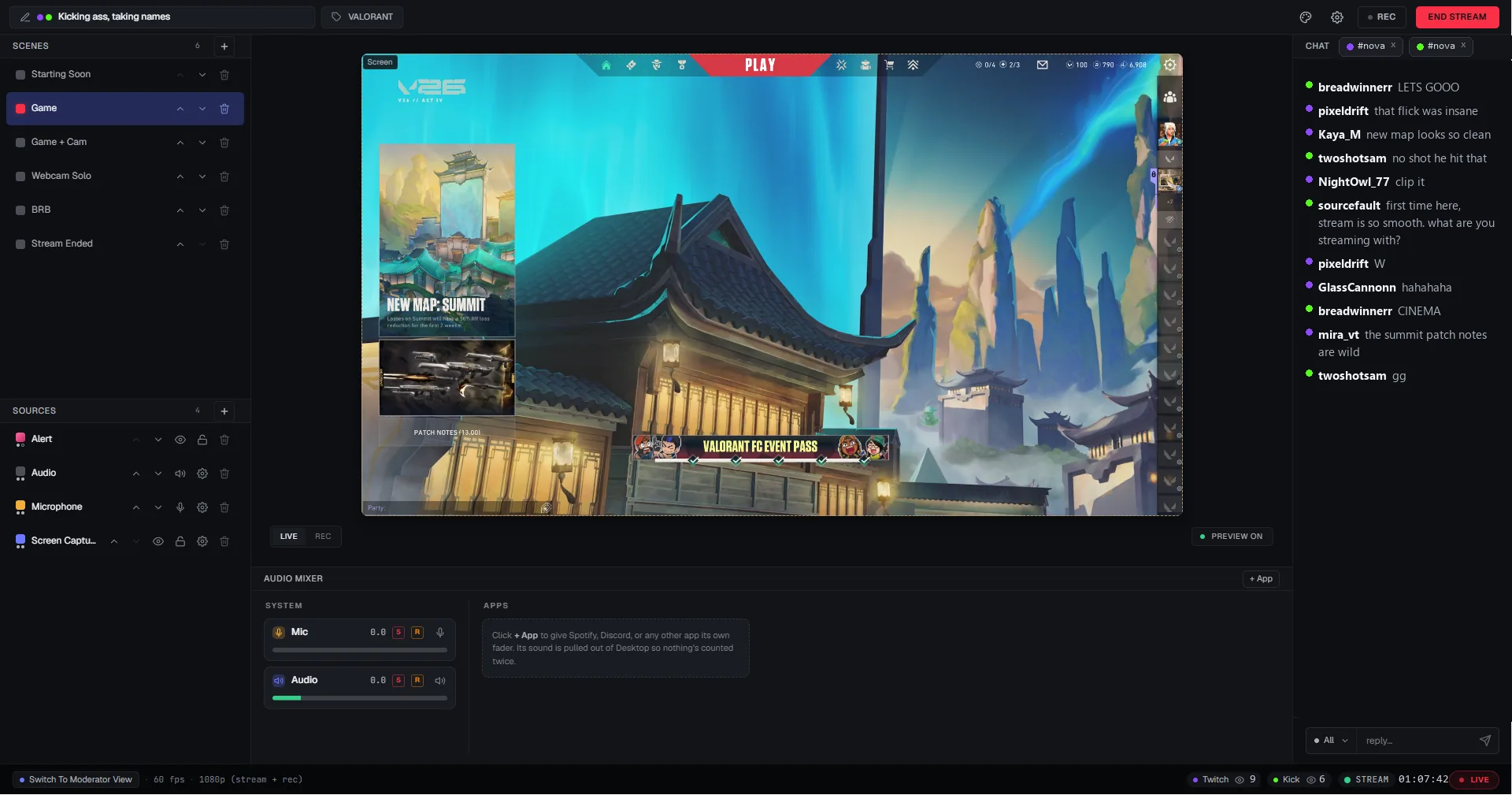
Scenes, sources, the audio mixer, chat, alerts, moderation, and the Go Live button all live in one window. No second monitor filled with dashboards, and nothing to alt-tab to in the middle of a game.
-
Chat and alerts belong to the app
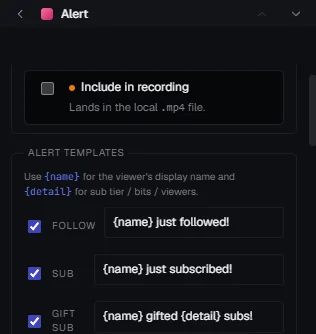
Twitch, YouTube, and Kick chat arrive merged in the same window, with moderation built in. Alerts are drawn by Acrux itself, so there is no browser overlay to add and no separate alert account to connect. They are a line of text with a sound, which is less than a widget suite gives you and a lot less that can break mid-stream.
-
Set up once, then go live
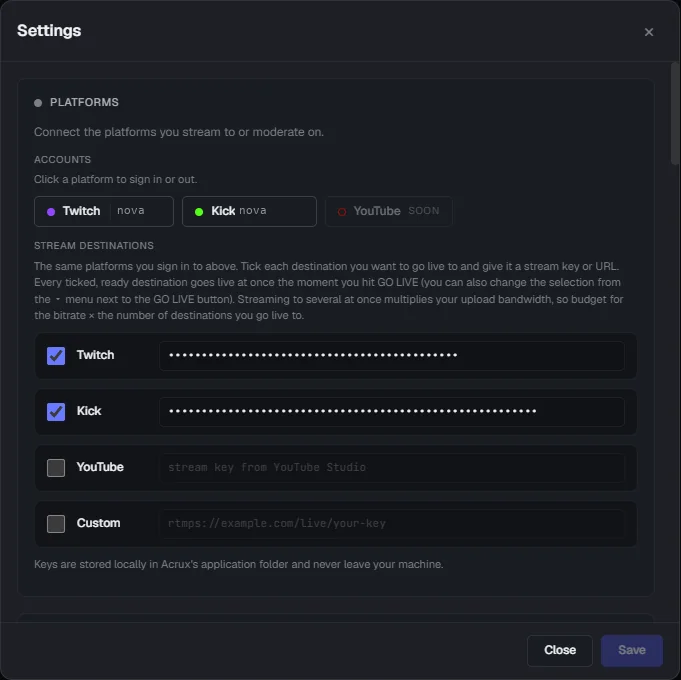
From a fresh install: pick "I'm a streamer", sign in to Twitch, press "Let's Go", then press "Go Live". That is four clicks on the default settings, with no scene to build first and nothing to wire up.
-
Vertical is built in
A second 9:16 canvas with its own layout in every scene. Each destination picks the canvas it gets, so one platform can take widescreen while another takes portrait in the same session.
-
It looks after the stream for you
If your connection or your PC hits a rough patch, Acrux eases the bitrate and frame rate down and brings them back up on its own. Afterwards it tells you in plain words what happened and what caused it.
-
Your mods get their own view
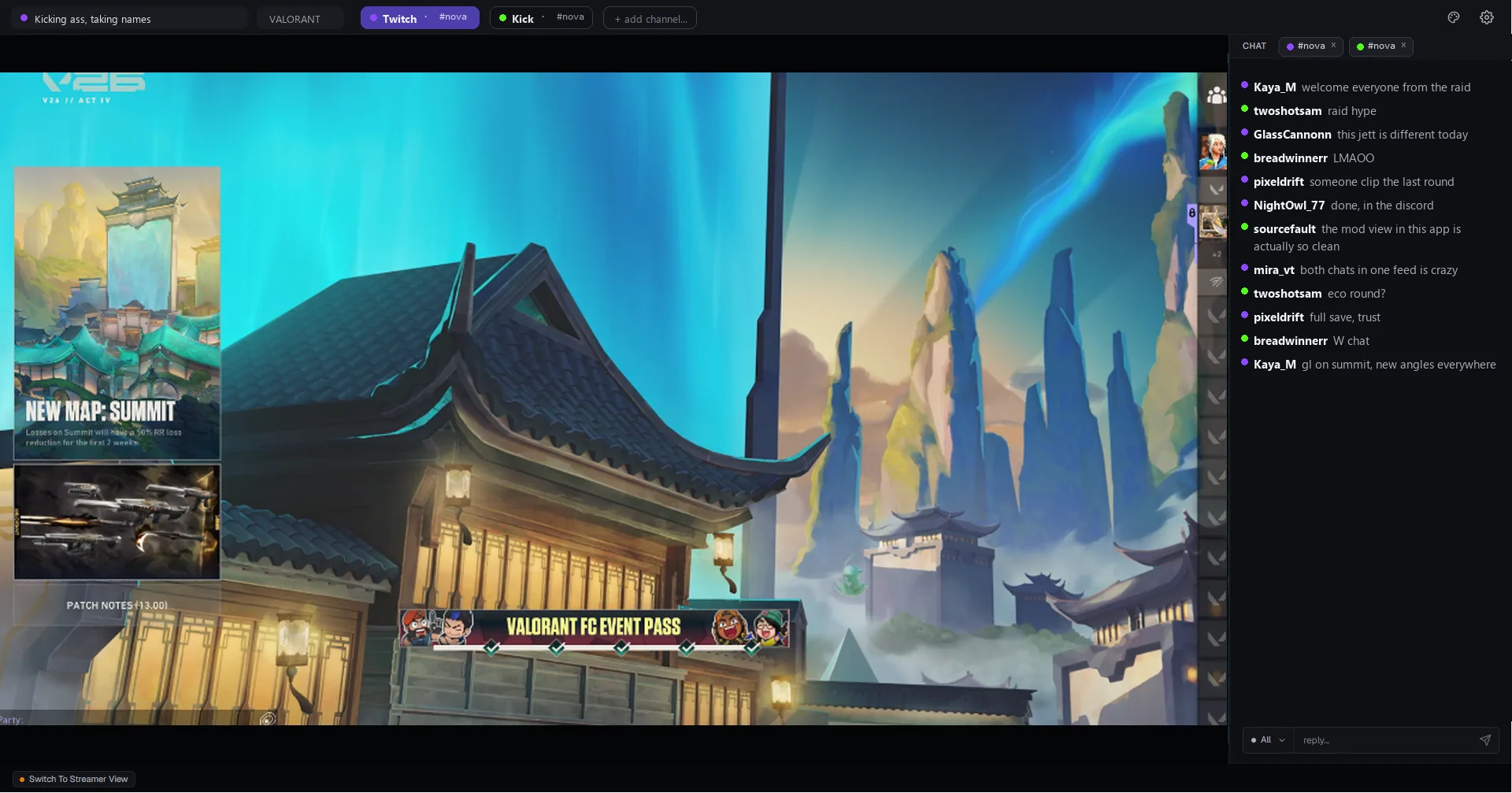
A full moderator view is built into the app, so the people helping you run your channel are not an afterthought.
Side by side
Marked honestly, ours and theirs alike. We would rather you found the rows OBS takes here than after installing.
| Feature ahead | Acrux Studio | OBS |
|---|---|---|
| Cost and platforms | ||
| Price | Free, no watermark, no time limit | Ahead. Free and open source, always |
| Runs on | Windows | Ahead. Windows, macOS, and Linux |
| Open source | No | Ahead. Yes |
| Going live | ||
| From install to first stream | Ahead. Four clicks on the defaults | The setup wizard, then add a capture source before anything is visible |
| What you need besides the app | Ahead. Nothing | An alerts service, and usually a plugin or two |
| Windows open while streaming | Ahead. One | The app, plus a browser for chat and alert dashboards |
| Multistreaming | Ahead. Two destinations at once, built in | Needs a plugin or an outside service |
| Vertical 9:16 canvas | Ahead. Built in, its own layout in every scene | Needs a plugin |
| Adaptive bitrate and frame rate | Ahead. Both, with automatic recovery | Bitrate only |
| Your audience | ||
| Twitch, YouTube, and Kick chat | Ahead. Merged in one panel, with moderation | A browser dock per platform |
| Alerts | Built in, a line of text with a sound | An outside service, with a full widget library |
| Moderator view | Ahead. Built in | Mods use the platform's own mod view in a browser |
| Recording and production | ||
| Recording and clips | MP4 plus a replay buffer | Yes, both |
| Per-app audio | Ahead. One mixer, a fader per app | Each app added as its own source |
| Insights after a stream | Ahead. Built in, on one timeline | Live stats only, no history |
| VTuber avatars | Ahead. VTube Studio or VSeeFace, no green screen | Needs a plugin or a capture workaround |
| Making it your own | ||
| Scene transitions and studio mode | Not yet | Ahead. Yes |
| Chroma key and color grading | Not yet | Ahead. Yes |
| Plugins | No plugin system | Ahead. A very large plugin library |
| Import your OBS scenes | Not yet | Not applicable |
What you would give up
- Your OBS scenes do not come across yet. You would lay them out again by hand. This is the biggest ask on the page and it is the next thing being built.
- Windows only. There is no macOS build and no Linux build.
- No plugins. If a single plugin is holding your setup together, OBS is still your answer.
- Studio mode, scene transitions, chroma key, and color grading are not in Acrux yet.
- TikTok is stream key only, so its title and chat stay outside the app. Twitch, YouTube, and Kick all have full sign-in.
Questions
- Can I import my OBS scenes into Acrux Studio?
- Not yet. You would build your scenes again by hand. It is the most-asked-for thing on this list and it is the next feature being built. Until it lands, the honest advice is to keep OBS installed and try Acrux on a quiet stream first.
- Does Acrux Studio use less of my PC than OBS?
- We are not putting a number on that until we have measured it properly across more than one machine, and we would rather leave the row off this page than guess at it. What we can tell you is how it is built: Acrux is a native app with no browser inside it, and your graphics card composes and encodes the frames.
- Do I have to stop using OBS?
- No. The two install side by side and neither one touches the other settings. Most people who switch run both for a while, which is exactly what we would suggest.
- Is Acrux Studio open source?
- No, Acrux is closed source. If open source is the reason you use OBS, that is a good reason and Acrux is not going to match it.
- Is Acrux Studio free?
- Yes. Streaming, recording, clips, scenes, chat, alerts, the moderator view, and your stream diagnostics are all free, with no watermark and no time limit. A Pro plan is planned for power workflows on top of that, like streaming to three or more places at once. Nothing the app does today moves behind it.
- Will my Streamlabs or StreamElements overlays still work?
- Yes, as browser sources, the same way they work today. Scenes that use the same overlay share one browser behind the scenes, so switching scenes does not reload the overlay or drop your alert connections.
- Which platforms can Acrux stream to?
- Twitch, YouTube, and Kick with full sign-in: stream keys arrive on their own, chat from all three merges into one panel with moderation, and title, category, and tags are set from one place. TikTok works with a stream key today, in widescreen or portrait.
- Does Acrux track what I do?
- No. The app has no analytics or telemetry in it and it does not phone home. The website uses cookieless analytics that count visits and referrers, nothing personal.
Try it on one quiet stream.
Keep OBS installed. Nothing here touches it, and if Acrux is not for you, you have lost an evening.
Get Acrux Studio on the Microsoft Store